Guide · Your client portal

Know exactly
what happens next.

We ask for a deposit before the work begins, so we want you to know exactly what you're getting into.

That's what this page is for: below you'll find the full journey, from the moment you pay to the day your site goes live, plus a guided tour of the client portal where everything happens.

Your journey to a digital launch

  1. 01

    Select your package & pay your deposit

    Getting started

    Pick the package that fits your project and pay a 50% deposit to lock in your spot and get started. That deposit reserves your team's time and puts your project in the queue; the remaining 50% isn't due until the very end, once everything's approved.

  2. 02

    Create your account & complete your onboarding

    ~5 minutes

    Right after payment you'll create your account, which opens your client portal. From there you complete a short onboarding: tell us about your business, your goals and your style, and upload your brand assets like your logo, copy and images. This is exactly what we use to design a site that aligns to you and your business and needs.

  3. 03

    Kickoff meeting

    ~60 min call

    We hop on a call to align on goals, design direction, content and timeline. It's where your vision turns into a concrete plan and you can ask us anything. You'll walk away knowing exactly what we're building and when to expect it.

  4. 04

    We build it

    We do the work

    Now we design and develop your website. If we need anything else from you, you'll see it under Questionnaires in your portal or in your Assets notifications. And once your site is finished, you'll get a Calendly link to book the meeting where we show you your new finished digital home.

  5. 05

    Review & approve

    Your final say

    We walk you through the finished site in a delivery meeting and hand it over for your review. Take your time, share feedback and request any final tweaks. Nothing goes live until you're happy and give the green light.

  6. Launch

    Go live

    Once you approve and the final payment is settled, we publish your website and it goes live for the world to see. All your links and project details stay in your portal, and we always have after-launch care plans available for you.

Inside your portal

Here's a peek inside your client portal, so you know exactly what you'll find once your account is set up. Click through the tabs to explore each section.
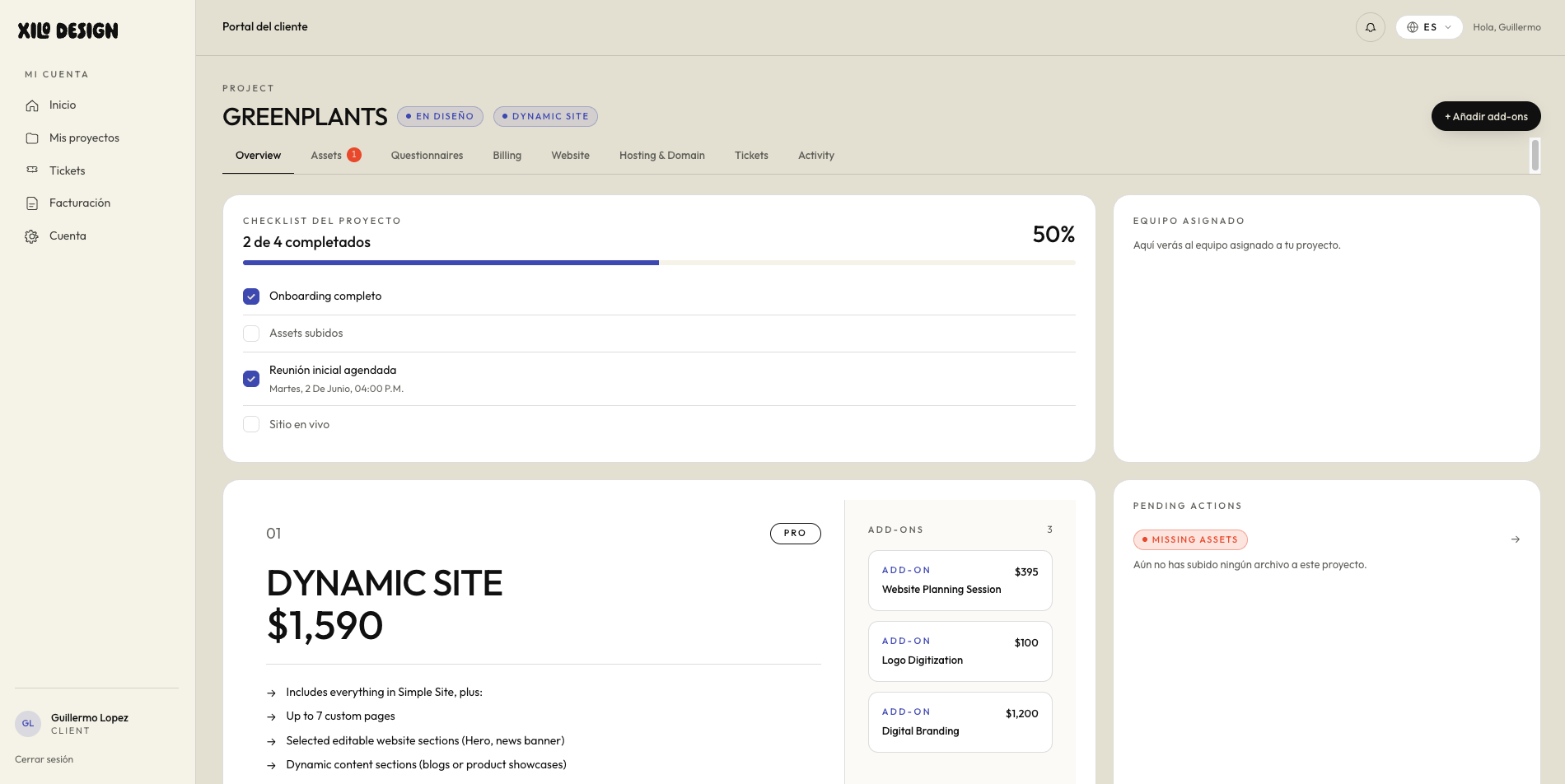
xilo.design/portal
Client portal — Overview
Screenshot coming soon
Hover to zoom
01

Overview

Your whole project at a glance, with a progress checklist, the team assigned to you, your package and add-ons, and any pending actions. You'll always know exactly where your website stands and what's coming next; no chasing, no guessing.
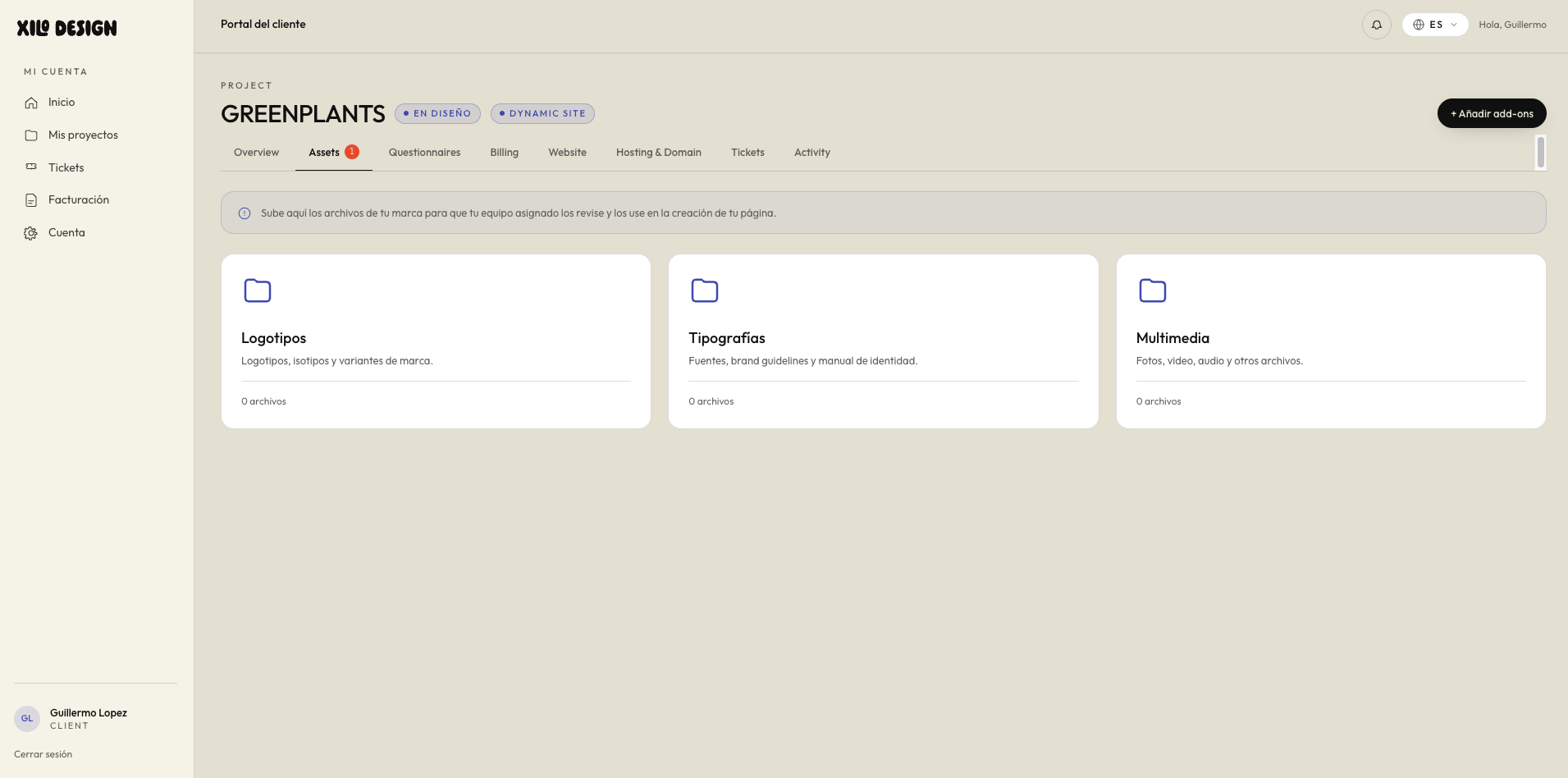
xilo.design/portal
Client portal — Assets
Screenshot coming soon
Hover to zoom
02

Assets

Upload your files and folders, logos, copy, images and brand assets, organized by section, and track which ones are pending review, approved, or need a re-upload. This is the information we use to build your website, perfectly aligned to your brand; the more you share, the more it feels like you, and the smoother your whole experience.
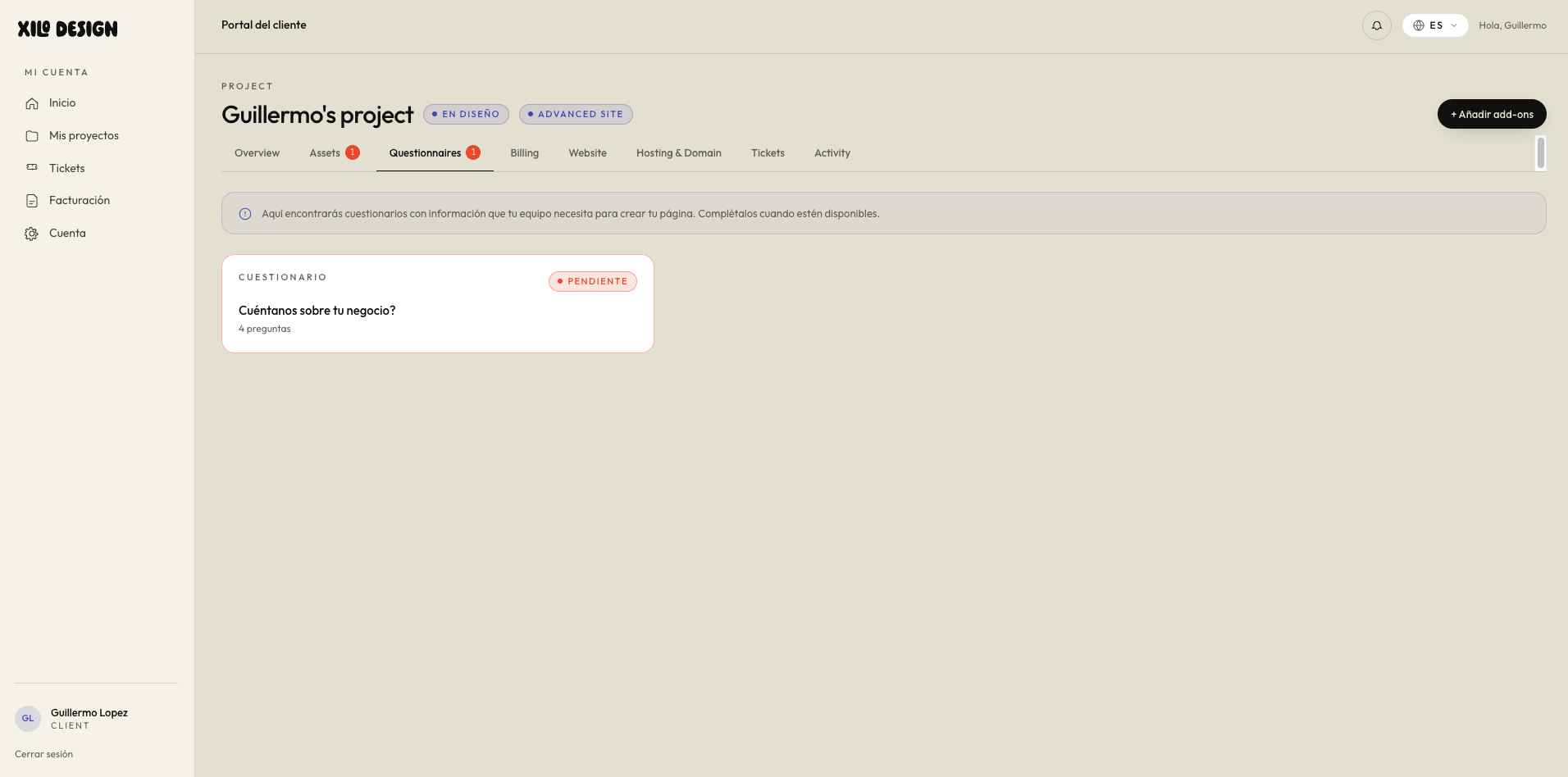
xilo.design/portal
Client portal — Questionnaires
Screenshot coming soon
Hover to zoom
03

Questionnaires

Complete your onboarding questionnaire and any others we send; this is where you tell us about your business, goals and style. The more you pour into it, the more the final design will feel made just for you.
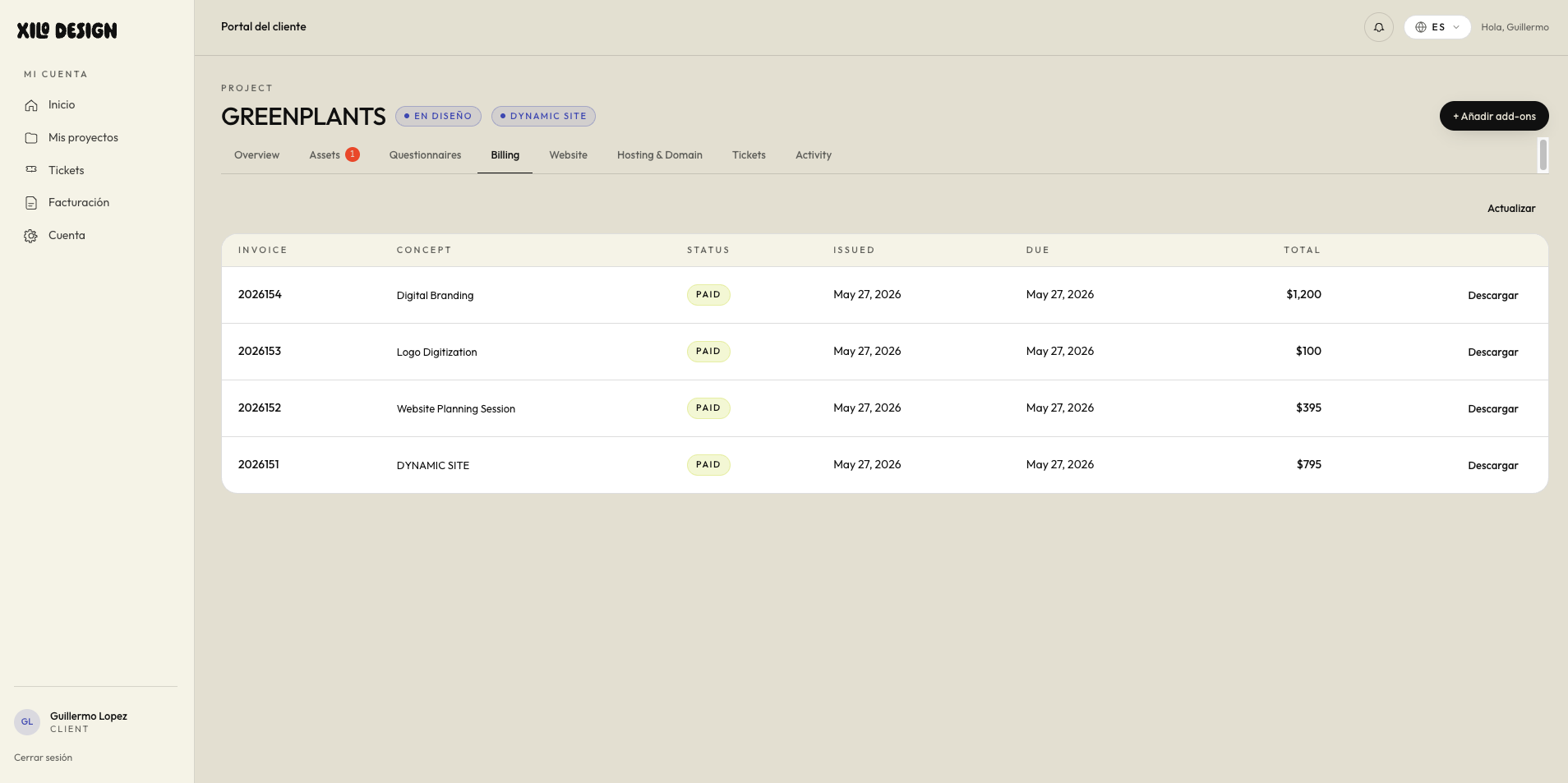
xilo.design/portal
Client portal — Billing
Screenshot coming soon
Hover to zoom
04

Billing

All your invoices in one place, deposit and final payment, with their status and due dates. Pay securely online and download each one, with full transparency so you always feel in control.
xilo.design/portal
Client portal — Website
Screenshot coming soon
Hover to zoom
05

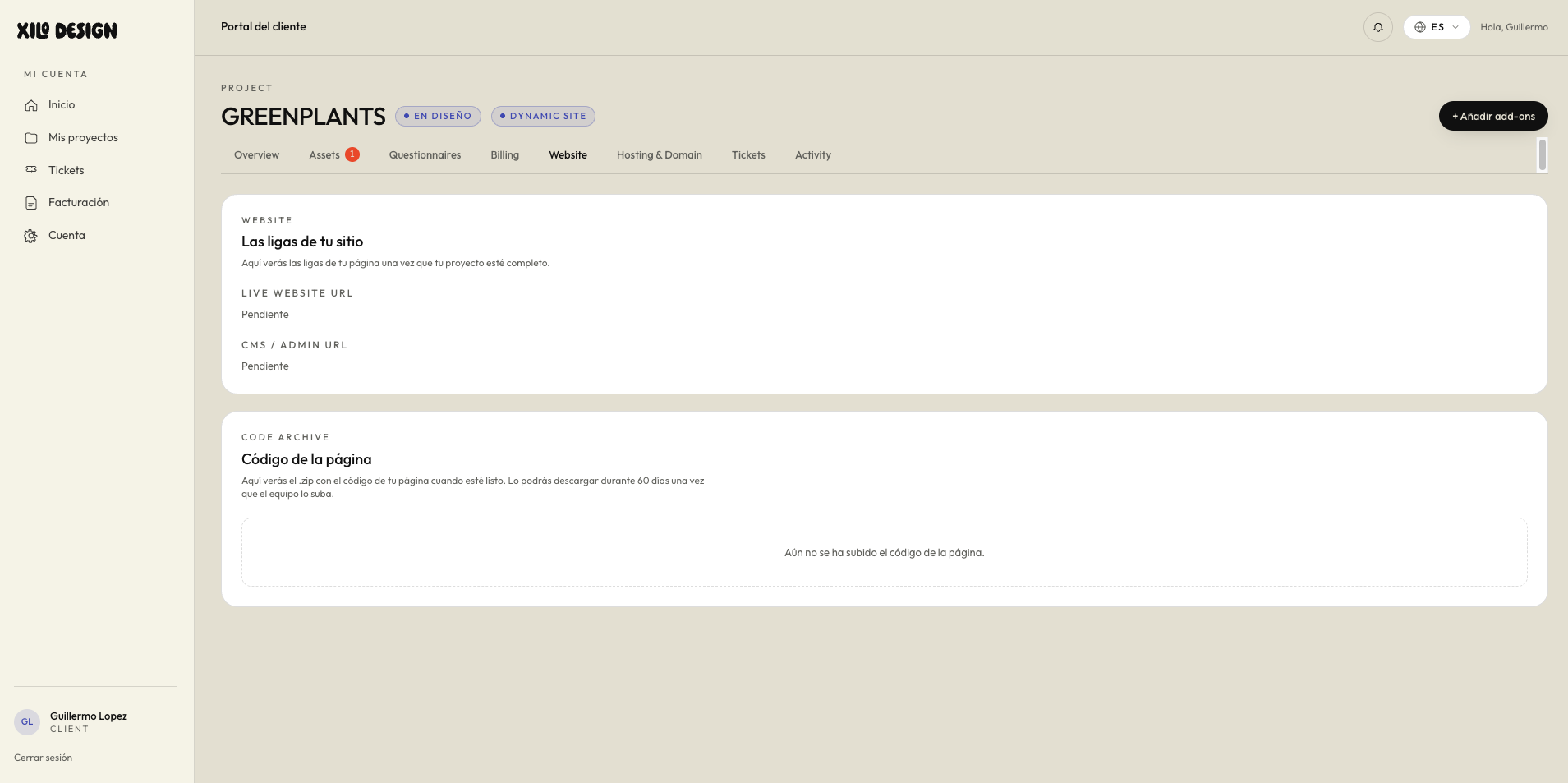
Website

The exciting part, once your site is live, is where you'll find its links and your project's details, all in one place. Everything finally comes together here.
xilo.design/portal
Client portal — Hosting & Domain
Screenshot coming soon
Hover to zoom
06

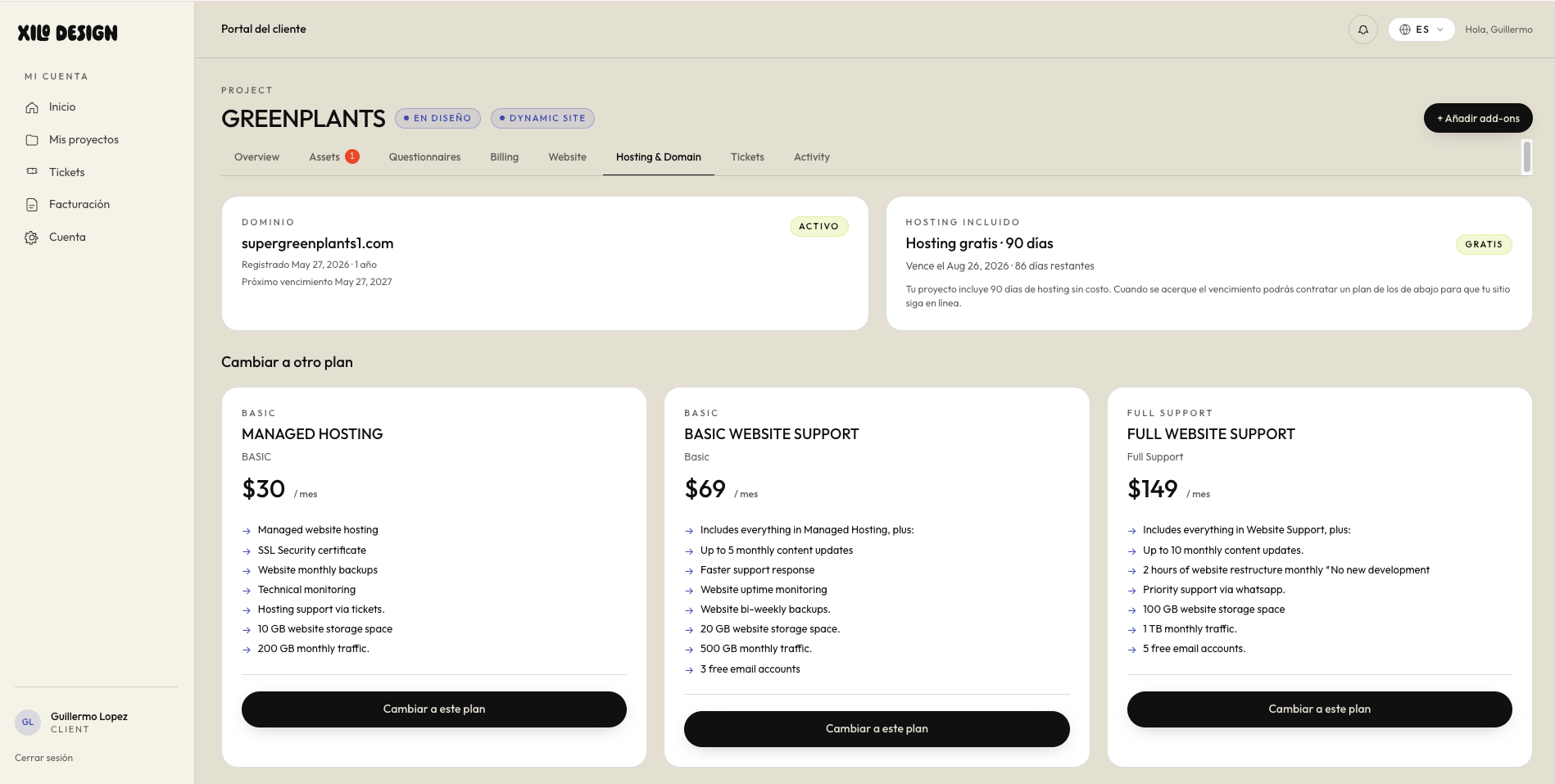
Hosting & Domain

Think of this as your after-launch care plan. Once your site is live, your plan keeps it online, fast, secure and backed up, and it's also home to your web address. Choose the level of care that fits you, and we handle the rest.
xilo.design/portal
Client portal — Tickets
Screenshot coming soon
Hover to zoom
07

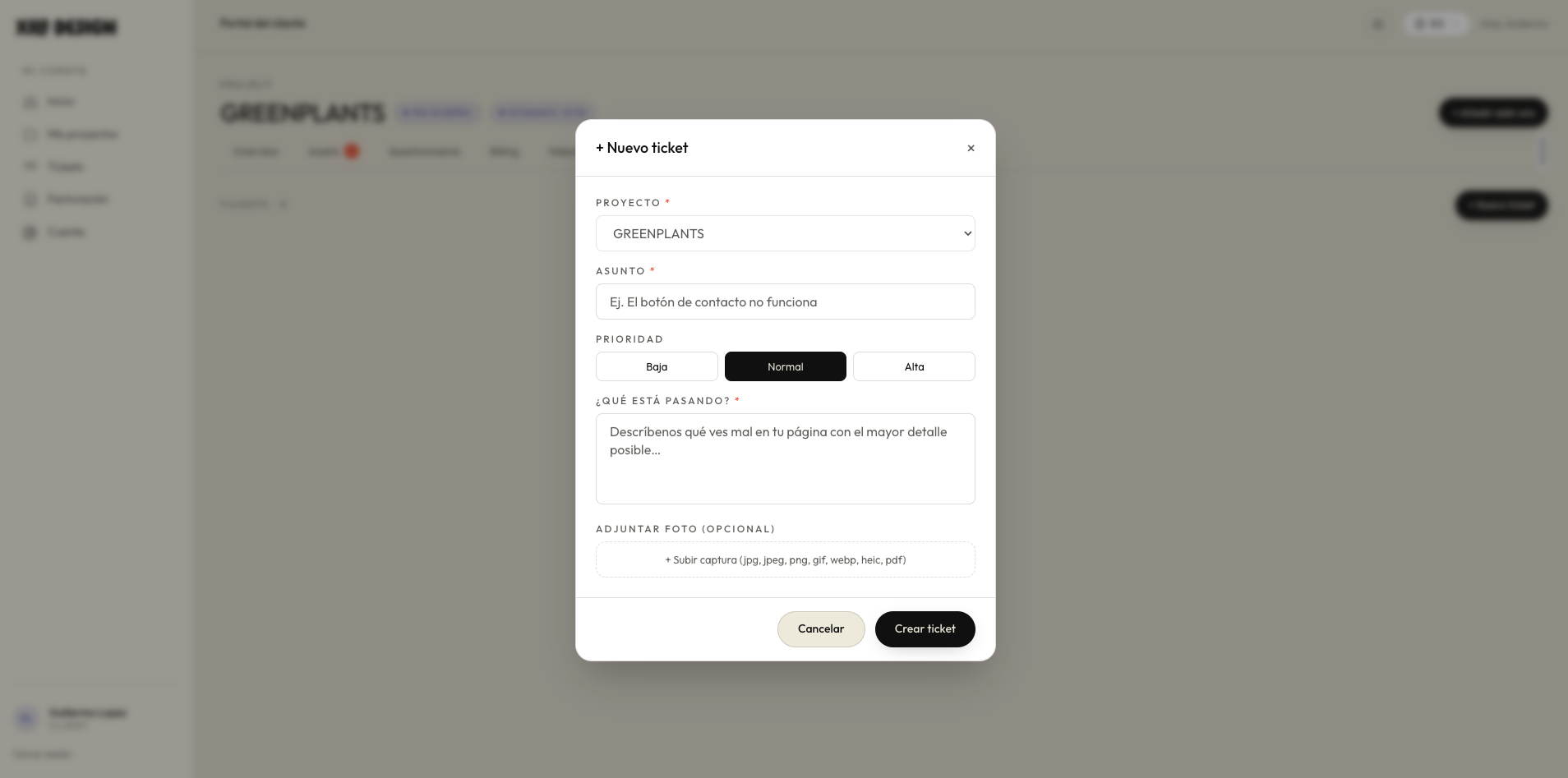
Tickets

Your direct line to us, open a ticket anytime to ask questions, request changes or get support, during and after the project. You're never on your own; we're always one message away.